Implementing CODEOWNERS for Pull Request Automation
🧩 This hands-on lab walks you through adding a CODEOWNERS file to automatically assign reviewers and enforce ownership rules on pull requests.
1. Using CODEOWNERS
CODEOWNERSis a file that allows you to define individuals or teams responsible for specific parts of your codebase.- When changes are made to those areas, the designated code owners are automatically requested for review.
- This helps ensure that the right people are reviewing changes to critical parts of the code.
CODEOWNERScan also be used to enforce review policies, such as requiring approval from code owners before merging.
How CODEOWNERS Works
- Automatically assigns reviewers based on file changes
- Ensures domain experts review relevant code
- Can be combined with branch protection rules
- Supports teams and individual users
-
Create
.github/CODEOWNERSin your repository:
2. CODEOWNERS - Files location
GitHub search for the first matching file in following order:
.github/CODEOWNERSCODEOWNERSin the repository rootdocs/CODEOWNERS
Tip
Recommended: Use .github/CODEOWNERS for consistency with other meta files (workflows, templates).
3. CODEOWNERS - Pattern
| Pattern Type | Example | Matches |
|---|---|---|
| Single file | README.md | Exact file |
| Directory (recursive) | src/ | Everything under src/ |
| Specific extension | *.md | All Markdown files |
| Nested path | app/api/ | Files in that folder & subfolders |
Escaping # | \#file.txt | File literally named #file.txt |
| Comment line | # owners of infra | Ignored |
| Last match wins | Later entries override | Use ordering intentionally |
4. CODEOWNERS - Example
-
Create directory (if needed):
-
Add file
.github/CODEOWNERS: -
Add to git & push:
5. CODEOWNERS - Enable
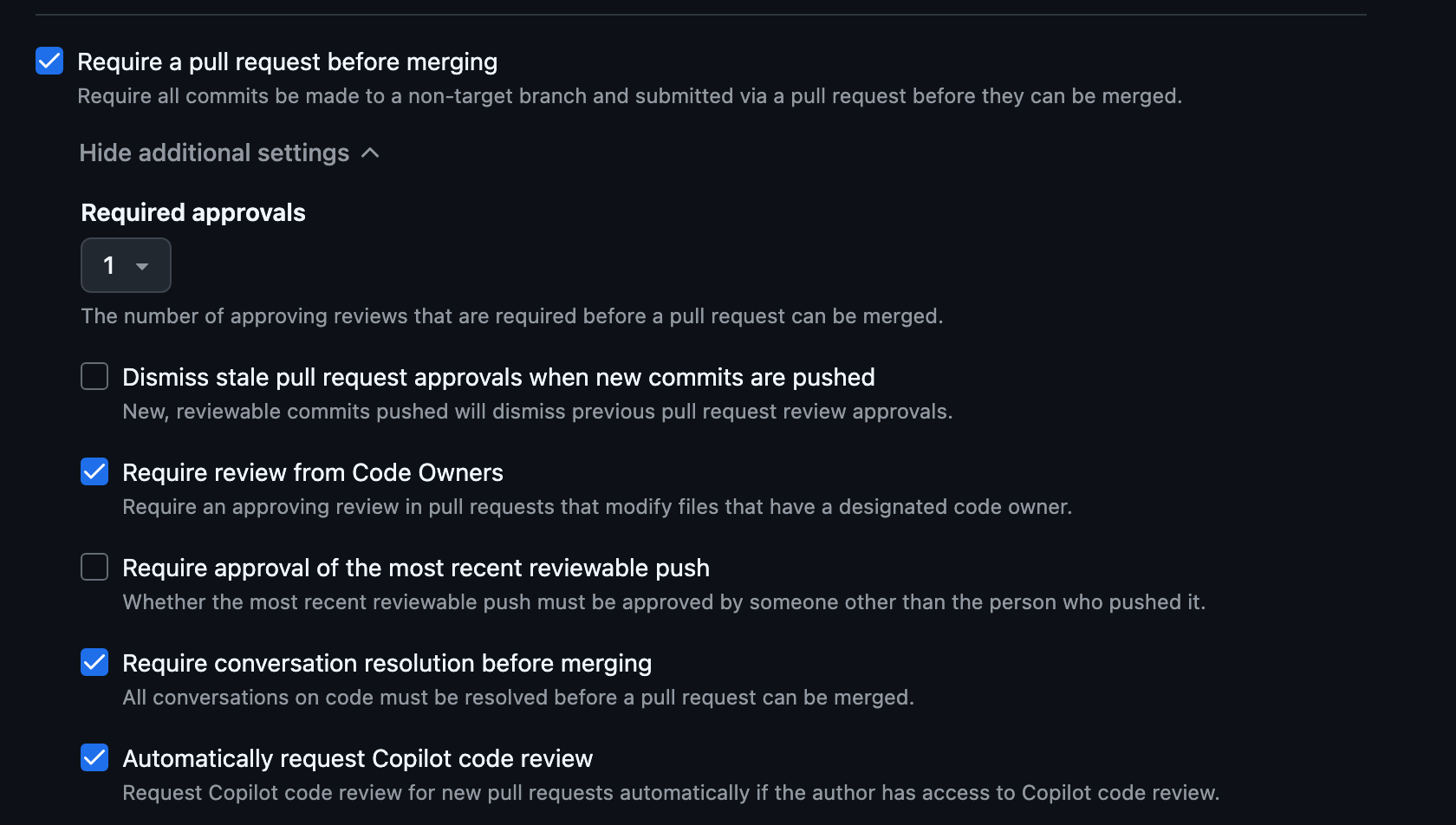
If you have not enabled branch protection yet:
- Go to: Repository → Settings → Rules → Rulesets (or Branches > Branch protection)
- Create / Edit your ruleset targeting
main - Enable the following
- Require a pull request before merging
- Require approvals: set to
1(or more) - Require review from Code Owners
- Dismiss stale approvals (recommended)
- Require conversation resolution
- Save / Activate the ruleset
6. CODEOWNERS - Verify (Test)
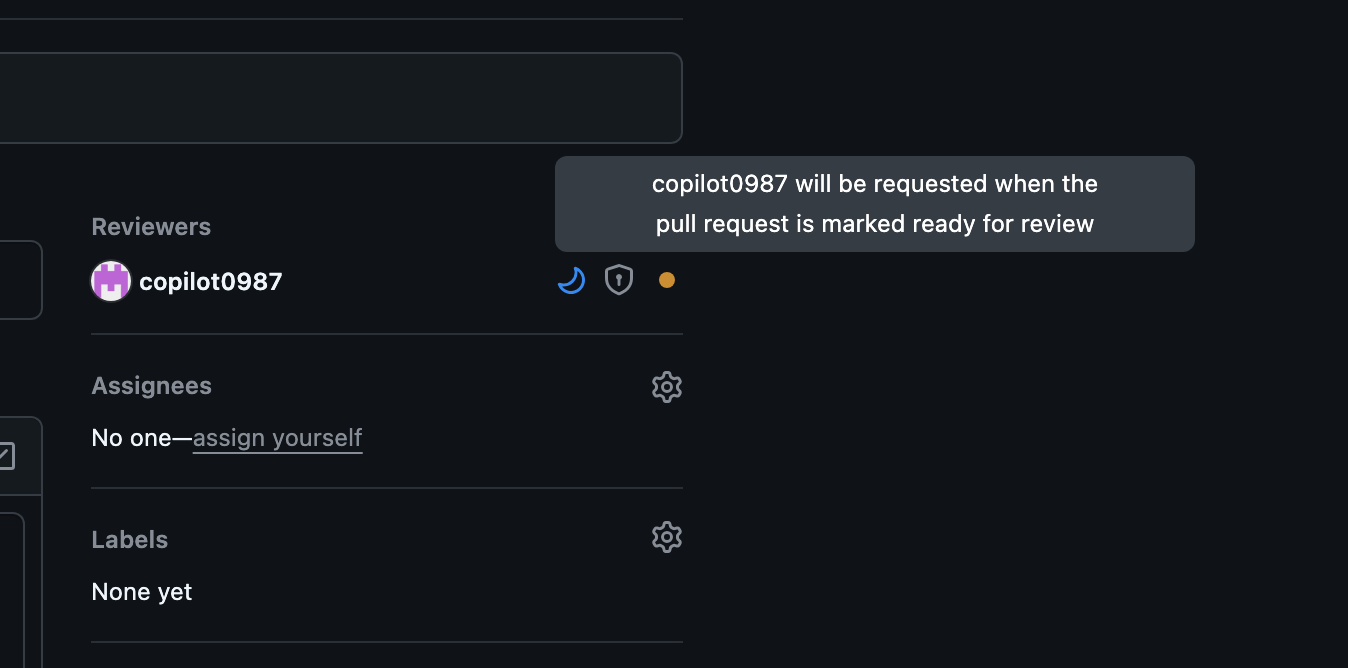
- Open a pull request
- In the PR sidebar you should see:
- Reviewers automatically populated with teams/users from matching patterns.
7. CODEOWNERS - Checklist
Use this checklist to validate success:
- CODEOWNERS exists at
.github/CODEOWNERS - Global
*rule defined - At least one team + one individual user referenced (optional)
- Branch protection requires Code Owner review
- Test PR auto-assigned reviewers
- Specific path override tested