Opening Pull Requests via GitHub MCP Extension
- This guide explains how to create and manage pull requests using the GitHub Model Context Protocol (MCP).
- MCP allows you to create PRs using natural language commands.
Prerequisites
- Visual Studio Code installed
- GitHub Copilot MCP extension installed and configured (Including Authentication)
- Proper authentication setup with GitHub
- Your feature branch has been pushed to the remote repository
1. Install and Setup MCP
- Open Visual Studio Code
- Go to the Extensions view (
Ctrl+Shift+XorCmd+Shift+Xon Mac) - Search for
GitHub Copilot MCPand click Install - Verify the installation by checking if the extension appears in the list of installed extensions
2. Authentication
- After installation, you may be prompted to sign in to your
GitHubaccount - Follow the on-screen instructions to complete authentication
- Verify the MCP server by opening GitHub Copilot chat and checking the server status
3. Create PR from Prompt
- In the Copilot Chat panel, enter a prompt such as:
Prompt to create PR using GitHub Copilot MCP
Using GitHub Copilot MCP
Create a new pull request from “git-labs-branch” to “main”
Title: “Add user authentication feature”
Description: “This PR is auto generated using MCP”
Add reviewers: @me
Add labels: mcp, bugfix, high-priority
Assign to: @me
-
You can customize the prompt to include details like description, visibility (public/private).license, and more. Here are some example prompts:
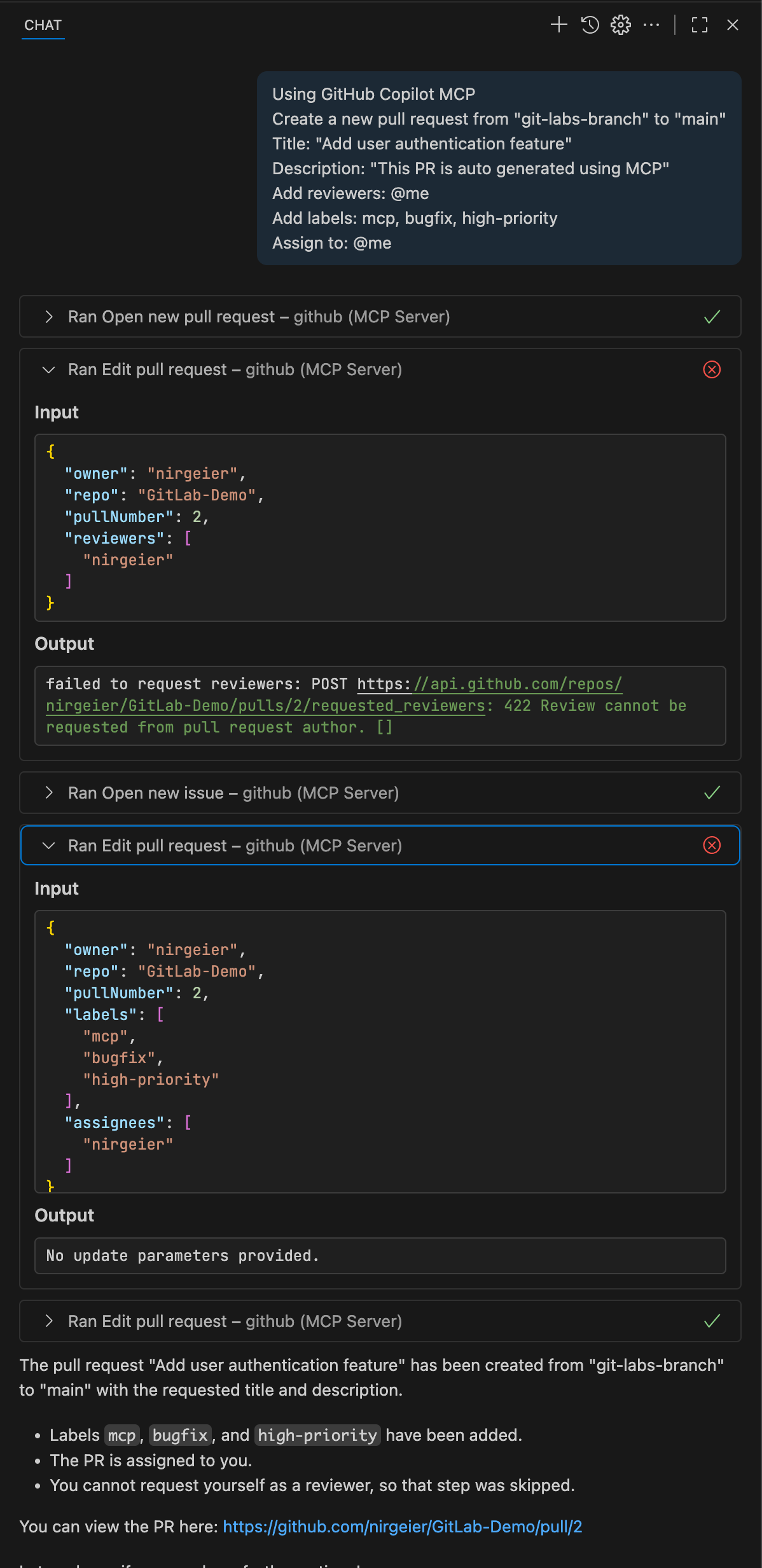
4. Updating Existing PRs Examples
Prompt to update PR using GitHub Copilot MCP
### 1. Update title
Update my pull request title to "Improved user authentication feature"

### 2. Add reviewers
Add reviewers alice.cooper and @backend-team to pull request #123

### 3. Update description
Update PR #456 description to include:
"## Changes
- Fixed validation bug
- Added unit tests
- Updated documentation"

### 4. Add commits
Ive made some changes to my feature branch.
Please update pull request #123 with these new commits.

### 5. Add comment
Add a comment to my current pull request explaining that I've addressed the review feedback and added unit tests.
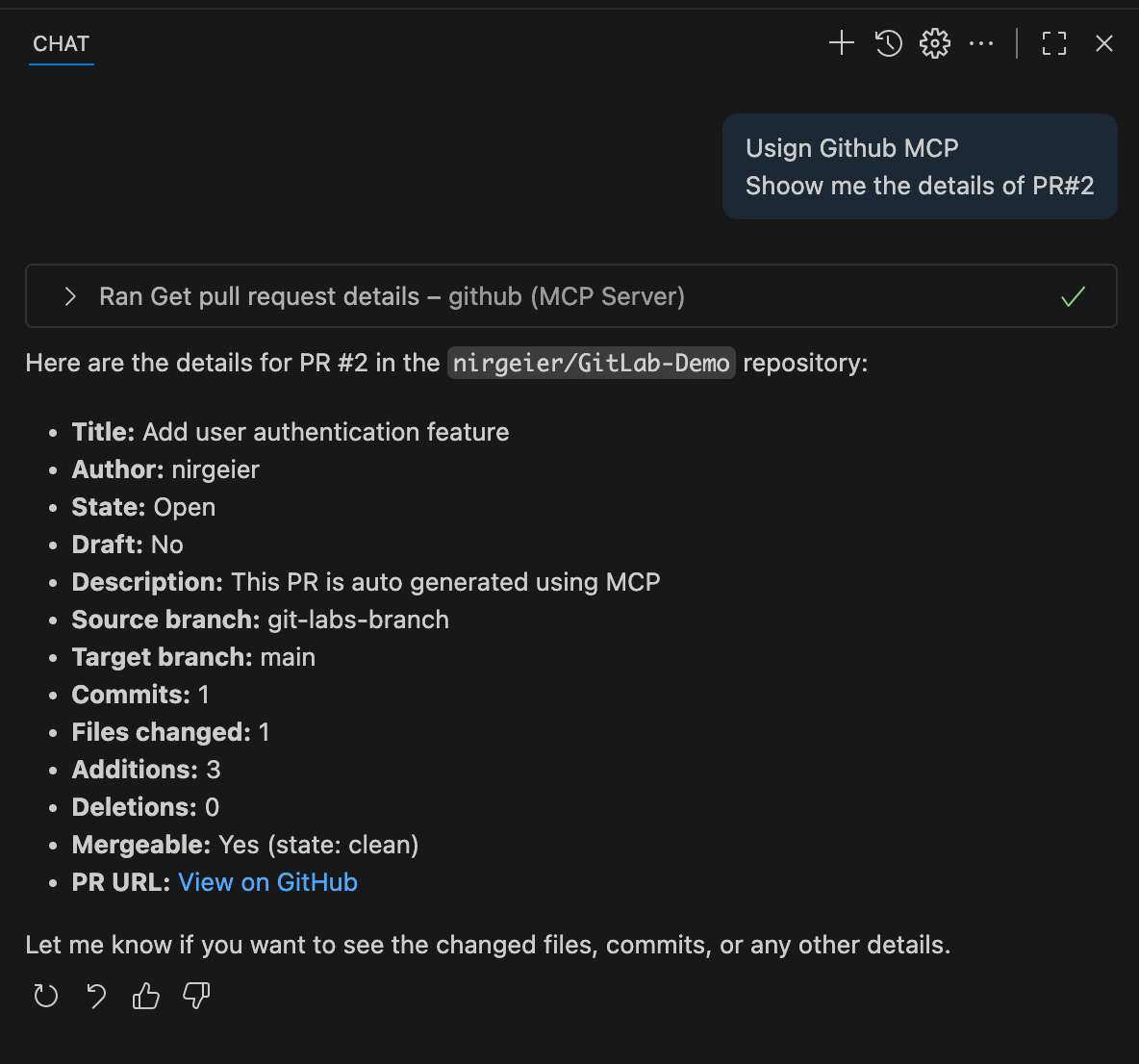
5. Viewing PR Information
- Keep working with the MCP to find out details about your pull requests
-
You can ask for information about your pull requests, such as:
6. AI MCP PR prompts Suggestion
Create PR from Templates
Create PR for all my bug-fix
Update PR
Automation Workflows
Best Practices for GitHub MCP
Workflow Integration
- Consistent Naming: Use consistent branch and PR naming conventions
- Template Usage: Develop standard prompts for your team
- Context Awareness: Provide relevant context in your requests
- Verification: Always review MCP suggestions before confirming