Creating a GitHub Repository Using GitHub Web
⚙️ This guide will walk you through the process of creating a new repository on GitHub using the web interface.
⚙️ Follow the steps below to set up your project repository quickly and efficiently.
Prerequisites
- A GitHub account (Sign up here if you don’t have one)
- A web browser (e.g., Chrome, Firefox, Safari)
Task: Create a new GitHub repository
1. Creating a New Repository
- Open your web browser and go to https://github.com.
- Click Sign in at the top right corner and enter your credentials.
- Once logged in, click the
Repositoriestab. - Click on the New button to create a new repository.
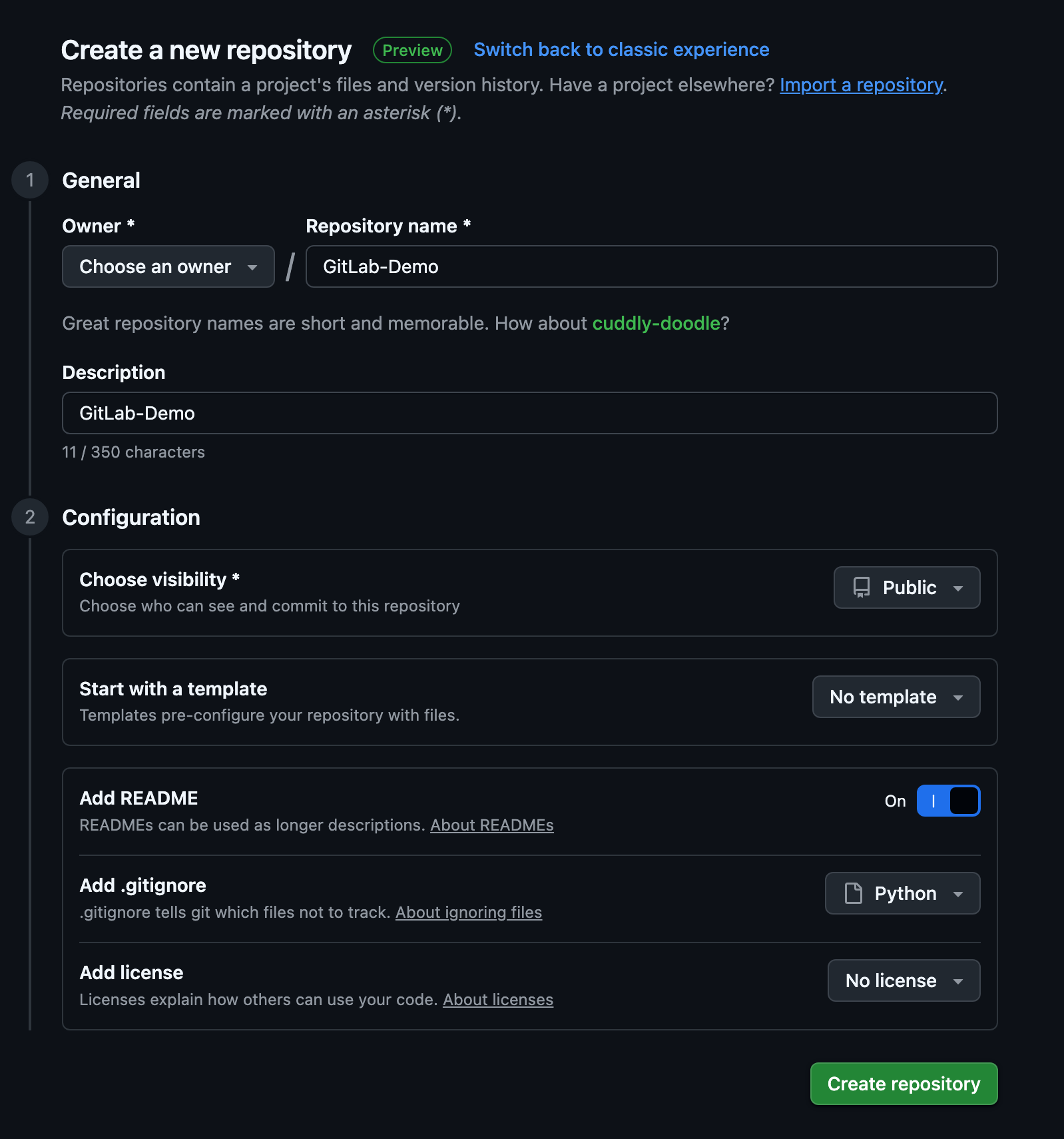
- Fill in the repository details as prompted.
- Owner: Choose your personal account or an organization you belong to.
- Repository name: Enter a unique name for your repository (e.g.,
my-first-repo). - Description (optional): Add a short description of your project.
- Visibility:
- Public: Anyone can see this repository.
- Private: Only you and people you explicitly share with can see this repository.
- (Optional) Initialize this repository with:
- Add a README file: Recommended for project documentation.
- .gitignore: Choose a template if you want to ignore certain files.
- Choose a license: Select a license for your project.
2: Create the Repository
- Review your settings.
- Click the Create repository button at the bottom of the page.