Welcome
Welcome to the MCP Labs
Here you’ll Learn and Build Model Context Protocol (MCP) from Scratch
Introduction
- Welcome to the MCP Labs - a comprehensive, hands-on guide to mastering the Model Context Protocol!
- Whether you’re new to MCP or looking to deepen your understanding, this learning series will take you from fundamentals to building production-ready MCP servers.
What is MCP?
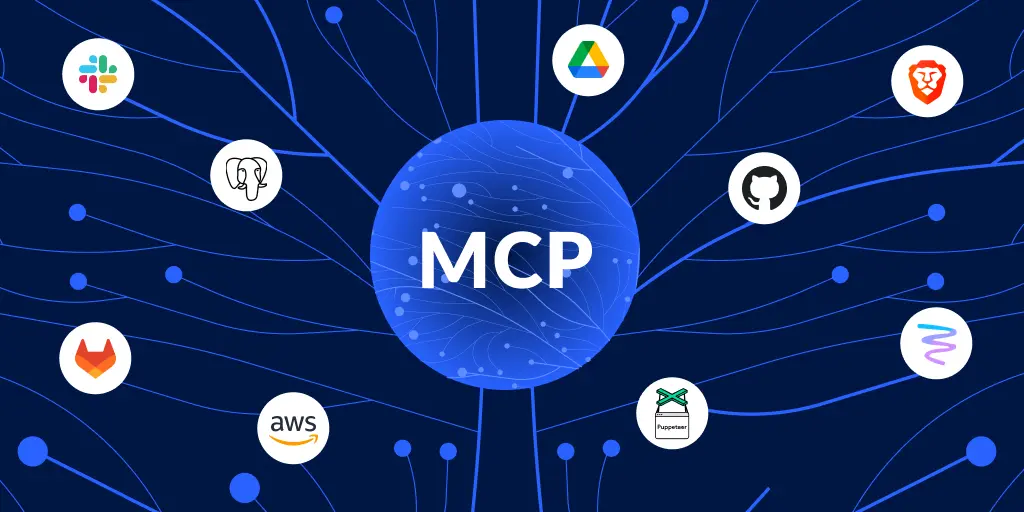
- The Model Context Protocol (MCP) is an open protocol that standardizes how applications provide context to Large Language Models (LLMs).
- Think of it as a universal adapter that allows AI applications to connect to various data sources, tools, and services in a consistent and scalable way.
What You’ll Learn
Through hands-on labs, you’ll:
- Understand MCP Architecture - Master the client-server model and protocol fundamentals
- Build MCP Servers - Create servers from scratch using TypeScript and the official SDK
- Implement Tools - Develop functions that LLMs can call to perform actions
- Expose Resources - Provide contextual data that LLMs can read and reference
- Create Prompts - Build reusable templates for common tasks
- Deploy to Production - Apply best practices for real-world applications
Learning Path
Who Is This For?
This learning series is designed for:
- Developers building AI-powered applications
- Engineers integrating LLMs with existing systems
- Technical Architects designing AI infrastructure
- DevOps Professionals deploying and maintaining MCP servers
- AI Enthusiasts wanting to understand standardized AI application development
- Anyone curious about standardized AI application development
Prerequisites
To get the most out of these labs, you should have:
- Basic Programming Knowledge - Familiarity with JavaScript/TypeScript
- Node.js Experience - Understanding of npm and basic Node.js concepts
- Command Line Skills - Comfortable with terminal/shell commands
- Code Editor - VS Code or similar IDEs (VS Code recommended)
Required Software
Before starting, ensure you have installed:
- Node.js v18 or later (download)
- npm or yarn package manager
- Git for version control
- A code editor (VS Code with TypeScript is support recommended)
Tools You’ll Use
Throughout the labs, you’ll work with:
- @modelcontextprotocol/sdk - Official TypeScript SDK
- MCP Inspector - Essential testing tool
- TypeScript - Type-safe server development
- JSON-RPC 2.0 - Communication protocol
Learning Approach
Each lab includes:
- Clear Objectives - Know what you’ll learn before you start
- Detailed Explanations - Understand the “why” behind the code
- Complete Code Examples - Working, tested code you can run
- Hands-on Exercises - Practice what you’ve learned
- Key Takeaways - Reinforce important concepts
- Additional Resources - Dive deeper on specific topics
In addition, you’ll find a complete Tasks section dedicated just to exercises and challenges to solidify your understanding.
Getting Started
Ready to begin your MCP journey?
Here’s how to start:
- Browse the Labs - See an overview of all available labs
- Start with Lab 1 - Begin with the fundamentals
- Complete the various labs in Order - Each lab builds on previous knowledge
- Practice & Experiment - Try variations and explore beyond examples in the Tasks section
Community & Support
Join the growing MCP community:
- MCP Discord - Ask questions, share projects
- GitHub Organization - Contribute to the ecosystem
- Official Documentation - Comprehensive reference
- MCP Specification - Protocol details
Why Learn MCP?
MCP is revolutionizing how we build AI applications:
- Universal Connectivity - One integration works across all MCP-compatible apps
- Reusability - Build once, use everywhere
- Scalability - Add new capabilities without rebuilding integrations
- Standardization - Consistent patterns and best practices
- Growing Ecosystem - Join a vibrant, expanding community
After This Course
Upon completion, you’ll be able to:
- Build custom MCP servers for your specific needs
- Integrate LLMs with your company’s tools and data sources
- Contribute to the MCP open source ecosystem
- Create servers that others can use
- Help others learn and adopt MCP
Explanations
This document provides detailed explanations of key concepts in the MCP (Model Context Protocol) server implementation, including endpoints, function calls, and RAGs (Retrieval-Augmented Generation).
Endpoints
General Meaning of Endpoints in This MCP Server
In the context of this MCP (Model Context Protocol) server, the “endpoints” refer to the API routes (URLs) that the server exposes for clients (like MCP inspectors, AI assistants, or other tools) to interact with it.
These endpoints are part of the server’s manifest, which is a metadata document that describes the server’s capabilities, transport method (e.g., “streamable-http”), and available routes.
The manifest is served at /.well-known/mcp and helps clients discover and connect to the server.
The endpoints follow RESTful conventions and support HTTP methods like GET, POST, and OPTIONS (for CORS preflight). They enable core MCP functionalities such as tool execution, resource access, prompt management, and server health checks. The server uses FastMCP (a framework for building MCP servers) and runs on port 8889 by default.
Each endpoint is implemented as a custom route in the code, often with CORS headers for browser-based clients.
Below, you’ll find explanations for each endpoint from the manifest, including its purpose, typical HTTP methods, and what it does based on the code implementation.
They are grouped logically for clarity.
Core Server and Discovery Endpoints
These handle basic server operations, discovery, and connection setup.
-
manifest (
/.well-known/mcp):
Serves the MCP manifest (metadata about the server, including capabilities and all endpoints). Clients use this to understand what the server supports. Handled bymcp_manifest()– returns JSON with server info, base URL, and endpoint list. -
health (
/health):
Simple health check to confirm the server is running. Returns a plain text response like “MCP Server Running”. Handled byhealth_check(). -
ping (
/ping):
Connection health check with more details. Returns JSON with status (“ok”), timestamp, and server name. Handled byping(). -
root (
/):
Root endpoint for basic server status. Similar to health, returns “MCP Server Running”. Handled byroot_health_check(). -
negotiate (
/negotiate):
Used for connection negotiation (e.g., transport setup and optional authentication via tokens). Clients send tokens here; the server responds with connection details. Handled bynegotiate()– supports proxy tokens from headers or query params. -
metadata (
/metadata):
Provides detailed server metadata, including protocol version and capabilities (e.g., support for tools, prompts). Handled bymetadata()– returns JSON with server info and feature flags. -
events (
/mcp):
The main MCP event stream endpoint for streamable HTTP transport. This is where real-time communication happens (e.g., tool calls, responses). It’s the core mount path for the FastMCP server. Handled by the FastMCP framework’s run method.
Tool-Related Endpoints
These manage MCP tools (functions the server exposes, like “hello” or “add”).
-
tools (
/tools):
Lists all available tools with metadata (names, descriptions, arguments). Clients use this to discover tools. Handled bytools_list()– returns JSON with tool details from the server’slist_tools()method. -
tools_execute (
/tools/execute):
Executes a single tool synchronously. Clients send the tool name and arguments; the server runs it and returns the result. Handled bytool_execute()– validates args, executes viaexecute_tool(), and tracks executions. -
tools_batch (
/tools/batch):
Executes multiple tools in a batch (array of calls). Useful for efficiency. Handled bytool_batch_execute()– processes each call and returns results. -
tools_stream (
/tools/stream):
Executes a tool with streaming responses (e.g., for long-running tasks). Returns NDJSON (newline-delimited JSON) events like “start”, “result”, and “end”. Handled bytool_stream_execute(). -
tools_history (
/tools/history):
Retrieves execution history for tools (recent runs, with optional limit). Handled bytool_history()– returns JSON with past executions fromTOOL_EXECUTIONS.
Prompt and Resource Endpoints
These handle reusable prompts and static resources.
-
prompts (
/prompts):
Lists available prompt templates (e.g., “code_review_prompt”). Clients can use these for structured interactions. Handled byprompts_list()– returns JSON with prompt metadata. -
resources (
/resources):
Lists available resources (e.g., server source code or info). Handled byresources_list()– returns JSON with resource URIs and descriptions.
Sampling and Roots Endpoints
These support advanced MCP features like LLM sampling and file system access.
-
sampling (
/sampling):
Provides LLM sampling (text generation) using Ollama. Clients send a prompt; the server generates a response. Handled bysampling()– integrates with Ollama API for completions. -
roots (
/roots):
Lists file system roots (e.g., the current working directory). Used for file-based operations. Handled byroots_list()– returns JSON with root URIs.
Custom/Ollama-Specific Endpoint
- ollama_status (
/ollama/status):
Checks the status of the connected Ollama instance (local LLM server). Returns model info, connection status, and available models. Handled byollama_status()– queries Ollama’s/api/tagsendpoint.
All endpoints include CORS headers for cross-origin requests and handle OPTIONS preflights. The server tracks tool executions globally for history/debugging.
Function Calls
What Are Function Calls?
In the context of MCP (Model Context Protocol) and AI systems, function calls (often referred to as “tools” in MCP terminology) are mechanisms that allow AI models or clients to invoke external functions or services dynamically.
Instead of generating plain text responses, the AI can decide to call a predefined function with specific arguments, execute it on the server, and incorporate the results into its response.
This enables more interactive, tool-augmented AI behaviors, such as performing calculations, querying databases, or interacting with APIs.
In this MCP server, tools are essentially function calls exposed via the /tools endpoints. For example, the hello tool is a function that takes a name argument and returns a greeting string.
What Do They Do?
Function calls allow the AI to extend its capabilities beyond static knowledge.
They enable:
- Dynamic Execution: The AI can perform real-time actions, like adding numbers or generating text via Ollama.
- Structured Interactions: Clients (e.g., an AI assistant) can call functions to retrieve data or perform tasks, then use the output in conversations.
- Modularity: Developers can add new functions without retraining the AI model.
- Safety and Control: Arguments are validated, and executions are tracked for auditing.
In MCP, tools are registered with decorators like @mcp.tool(), and clients discover them via the /tools endpoint.
How to Set Them Up
-
Define the Function: Write a Python function with type hints and a docstring. For example:
@mcp.tool() def my_tool(arg1: str, arg2: int = 0) -> str: """Description of what the tool does.""" # Implementation here return f"Result: {arg1} and {arg2}"- Use
@mcp.tool()to register it with FastMCP. - Arguments should have types; defaults are optional.
- Use
-
Validation and Execution: The server automatically validates arguments against the function signature (via
validate_tool_arguments) and executes it (viaexecute_tool). Results are tracked inTOOL_EXECUTIONS. -
Expose via Endpoints: Tools are listed at
/tools, executed at/tools/execute, etc. No additional setup needed beyond registration. -
Testing: Use the
/tools/historyendpoint to debug executions. Ensure the function handles errors gracefully. -
Integration with AI: Clients (e.g., via MCP inspectors) can call these functions. For LLM integration, the AI might be prompted to output function call JSON, which the client then executes.
Function calls are asynchronous if the function is a coroutine (async def).
RAGs (Retrieval-Augmented Generation)
What Are RAGs?
RAGs stand for Retrieval-Augmented Generation, a technique in AI where an LLM (Large Language Model) retrieves relevant information from external data sources before generating a response.
This improves accuracy, reduces hallucinations, and allows the model to access up-to-date or domain-specific knowledge not in its training data.
Instead of relying solely on pre-trained knowledge, RAGs “augment” generation with retrieved context.
In this MCP server context, RAGs can be implemented using resources (static data) or sampling (dynamic retrieval via Ollama).
For example, retrieving code snippets or server info to inform responses.
How Do They Work?
- Retrieval Phase: When a query is made, the system searches a knowledge base (e.g., documents, databases) for relevant chunks of data.
- Augmentation: Retrieved data is fed into the LLM’s prompt as context.
- Generation: The LLM generates a response based on both the query and retrieved data.
-
Key components:
- Data Sources: Could be files, APIs, or databases.
- Retriever: Searches and ranks relevant data (e.g., via embeddings or keywords).
- Generator: The LLM that produces the final output.
In MCP, resources at /resources can serve as static data sources, while sampling at /sampling can generate augmented responses.
How to Set Them Up
-
Define Data Sources: Use MCP resources for static data. For example:
@mcp.resource("mcp://my-data") def get_data() -> str: """Returns relevant data.""" return "Retrieved information here."- Resources are listed at
/resourcesand can be queried by URI.
- Resources are listed at
-
Implement Retrieval: For dynamic retrieval, integrate with tools or sampling. For instance, use a tool to query a database or API, then pass results to Ollama via
/sampling. -
Augment with Sampling: At
/sampling, send a prompt that includes retrieved context:- Ollama generates the response with augmentation.
-
Full RAG Pipeline:
- Client queries the server.
- Server retrieves data (e.g., via a tool or resource).
- Data is injected into a prompt.
- Sampling generates the augmented response.
-
Tools for RAG: Add tools like
search_documentsthat retrieve data. Combine with prompts for structured queries. -
Best Practices: Use embeddings (e.g., via Ollama or external services) for semantic search. Cache retrieved data for efficiency. Ensure data sources are secure and up-to-date.
RAGs enhance MCP servers by making them knowledge-aware, useful for applications like chatbots with custom data or code assistants.
Additional MCP Inspector Tabs and Configuration
The MCP Inspector provides various tabs that correspond to different capabilities and endpoints in your MCP server.
These tabs allow you to test and interact with the server’s features. Below, you’ll find explanations for each tab mentioned (resources, prompts, tools, ping, sampling, elicitations, roots, auth, metadata) and how to configure them in the JSON manifest within mcp02.py.
The manifest is defined in the mcp_manifest() function. It includes a "capabilities" object (boolean flags indicating support) and an "endpoints" object (URL paths). To enable or configure a feature, update these sections accordingly.
Resources Tab
- Purpose: Displays static data sources (e.g., files, server info) that clients can access.
- Configuration:
- Set
"resources": truein"capabilities". - Add
"resources": "/resources"in"endpoints". - Implement the
/resourcesendpoint to list available resources (e.g., URIs likemcp://code). - Register resources with
@mcp.resource("uri")decorators.
- Set
- Example: In
mcp02.py, resources likeget_code()andget_server_info()are registered and listed via/resources.
Prompts Tab
- Purpose: Shows reusable prompt templates for structured interactions (e.g., code review prompts).
- Configuration:
- Set
"prompts": truein"capabilities". - Add
"prompts": "/prompts"in"endpoints". - Implement the
/promptsendpoint to return a list of prompt metadata. - Register prompts with
@mcp.prompt()decorators.
- Set
- Example: Prompts like
code_review_prompt()are defined and exposed via/prompts.
Tools Tab
- Purpose: Lists executable functions (tools) that clients can invoke (e.g.,
hello,add). - Configuration:
- Set
"tools": truein"capabilities". - Add
"tools": "/tools"in"endpoints". - Implement
/toolsto return tool metadata frommcp.list_tools(). - Register tools with
@mcp.tool()decorators.
- Set
- Example: Tools like
hello()andadd()are registered and discoverable via/tools.
Ping Tab
- Purpose: Tests server connectivity and health with a simple ping.
- Configuration:
- Add
"ping": "/ping"in"endpoints". - Implement the
/pingendpoint to return JSON with status, timestamp, and server name.
- Add
- Example: The
ping()function returns{"status": "ok", ...}.
Sampling Tab
- Purpose: Allows LLM text generation (e.g., via Ollama) for completions.
- Configuration:
- Set
"sampling": truein"capabilities". - Add
"sampling": "/sampling"in"endpoints". - Implement
/samplingto accept prompts and return generated text.
- Set
- Example: Uses Ollama API to generate responses based on input prompts.
Elicitations Tab
- Purpose: Likely refers to logging or event elicitation (capturing server events/logs). In MCP, this may map to
"logging"capability for debugging. - Configuration:
- Set
"logging": truein"capabilities". - No specific endpoint needed, but ensure logging is enabled in the server framework.
- Set
- Note: If this refers to “events,” use the
/mcpendpoint for streamable HTTP events.
Roots Tab
- Purpose: Lists file system roots for file-based operations.
- Configuration:
- Set
"roots": truein"capabilities". - Add
"roots": "/roots"in"endpoints". - Implement
/rootsto return root URIs (e.g., current directory).
- Set
- Example: Returns
[{"uri": "file://current/dir", "name": "Current Directory"}].
Auth Tab
- Purpose: Handles authentication (e.g., token-based access).
- Configuration:
- Use the
/negotiateendpoint for auth negotiation. - Accept tokens via headers (e.g.,
Authorization: Bearer <token>). - In the manifest, no direct flag, but ensure
/negotiatesupports auth.
- Use the
- Example: The
negotiate()function checks for tokens and includes them in responses.
Metadata Tab
- Purpose: Provides server metadata (version, capabilities, protocol info).
- Configuration:
- Add
"metadata": "/metadata"in"endpoints". - Implement
/metadatato return detailed server info.
- Add
- Example: Returns JSON with
serverInfoandcapabilities.
To update the manifest in mcp02.py, edit the manifest dictionary in mcp_manifest(). For instance, to add a new capability, include it in "capabilities" and its endpoint in "endpoints". Restart the server after changes.
Creating a Personal Custom RAG
Retrieval-Augmented Generation (RAG) allows you to build a custom knowledge system by combining data retrieval with LLM generation.
Here’s how to create one in your MCP server context:
Step 1: Define Data Sources
- Static Data: Use MCP resources for fixed content (e.g., documents, code).
- Register with
@mcp.resource("mcp://my-data"). - Store data in files, databases, or variables.
- Register with
- Dynamic Data: Integrate APIs or databases for real-time retrieval.
- Create tools to query external sources (e.g., a tool that searches a vector database).
Step 2: Implement Retrieval
- Simple Retrieval: Use keyword search or basic queries.
- Example: A tool that reads from a JSON file or API.
- Advanced Retrieval: Use embeddings for semantic search.
- Install libraries like
sentence-transformersorfaiss. - Embed your data and queries, then find similar vectors.
- Example: Store document chunks in a vector DB, retrieve top matches for a query.
- Install libraries like
Step 3: Augment with LLM
- Integration: Pass retrieved data into prompts.
- Use the
/samplingendpoint or a tool likeollama_generate(). - Example Prompt:
"Using this data: {retrieved_info}. Answer: {user_query}".
- Use the
- Pipeline:
- User queries the server.
- Retrieve relevant data (via tool or resource).
- Inject data into LLM prompt.
- Generate response via sampling.
Step 4: Set Up in MCP Server
- Add Tools/Resources: Register retrieval functions as tools (e.g.,
@mcp.tool() def search_docs(query: str)). - Configure Endpoints: Ensure
/resources,/tools, and/samplingare enabled. - Testing: Use the Inspector to test retrieval and generation.
Best Practices
- Data Management: Keep data secure and up-to-date.
- Performance: Cache embeddings; use efficient search.
- Scalability: For large datasets, use external vector DBs like Pinecone or Weaviate.
-
Example Code Snippet:
This creates a personal RAG tailored to your data, enhancing AI responses with custom knowledge.
Adding Clients (Internal LLM)
To integrate an internal Large Language Model (LLM) as a client with your MCP server, you need to set up a client that can connect to the MCP server, discover its capabilities, and invoke tools, resources, or prompts.
This allows the LLM to augment its responses using the server’s functionalities, such as executing custom tools or retrieving data.
Prerequisites
-
MCP Server Running: Ensure your MCP server is running and accessible (e.g., at
http://localhost:8889). -
Client Library: Use an MCP-compatible client library. For Python, you can use libraries like
mcp-clientor integrate with frameworks like LangChain or LlamaIndex that support MCP. For other languages, check for MCP SDKs (e.g., Node.js MCP clients). -
LLM Setup: Have an internal LLM ready, such as Ollama running locally, or another model that supports tool calling (e.g., via function calling APIs).
-
Information Needed:
- Server Base URL: The full URL where the MCP server is hosted (e.g.,
http://localhost:8889). - Manifest URL: The URL to the manifest endpoint (e.g.,
http://localhost:8889/.well-known/mcp). This provides metadata about the server’s capabilities and endpoints. - Authentication Token (optional): If the server requires authentication, obtain a token (e.g., via the
/negotiateendpoint). Pass it in headers likeAuthorization: Bearer <token>. - Transport Method: Confirm the server uses “streamable-http” transport, as indicated in the manifest.
- Server Base URL: The full URL where the MCP server is hosted (e.g.,
Step-by-Step Instructions
-
Install Required Libraries:
- For Python: Install the MCP client library if available (e.g.,
pip install mcp-clientor similar). If using LangChain, installlangchainand MCP integrations. - For other setups: Ensure your LLM framework supports MCP (e.g., LlamaIndex has MCP connectors).
- For Python: Install the MCP client library if available (e.g.,
-
Fetch the Server Manifest:
- Make a GET request to the manifest URL to retrieve the server’s metadata.
- Example (using curl):
curl http://localhost:8889/.well-known/mcp - Parse the JSON response to understand available endpoints (e.g.,
/tools,/resources,/sampling) and capabilities (e.g.,tools: true).
-
Initialize the MCP Client:
- In your client code, create an MCP client instance and connect to the server.
- Provide the base URL and any authentication details.
-
Example in Python (pseudo-code):
-
Discover Capabilities:
- Use the client to list available tools, resources, or prompts.
- Example: Call
client.list_tools()to get tool metadata, which includes names, descriptions, and argument schemas.
-
Integrate with the Internal LLM:
- Configure the LLM to use the MCP client for tool calling.
- For LLMs that support function calling (e.g., GPT models or local models via libraries), map MCP tools to callable functions.
- Example workflow:
- When the LLM generates a response, check if it needs to call a tool (e.g., based on a prompt or decision).
- Use the MCP client to execute the tool:
result = client.call_tool("tool_name", args={"arg1": "value"}). - Feed the result back into the LLM’s context for the final response.
- For Ollama or similar local LLMs, you may need a wrapper script that handles the tool calling logic.
-
Handle Sampling or Generation:
- If the LLM needs to generate text augmented by the server, use the
/samplingendpoint via the client. - Example:
response = client.sample(prompt="Your prompt here", model="llama3.2:latest").
- If the LLM needs to generate text augmented by the server, use the
-
Test the Integration:
- Run a test query where the LLM invokes a tool (e.g., the “hello” tool).
- Verify that the client connects, executes the tool, and the LLM incorporates the result.
- Check logs on the server side (e.g., via
/tools/history) for executions.
-
Handle Errors and Authentication:
- Implement error handling for failed connections or tool executions.
- If authentication fails, renegotiate tokens via
/negotiate. - Ensure CORS and security settings allow the client to connect.
-
Advanced Setup:
- For streaming: Use the
/tools/streamendpoint for real-time tool execution. - For batch operations: Call multiple tools at once via
/tools/batch. - Integrate with prompts: Use
/promptsto retrieve structured prompts for the LLM.
- For streaming: Use the
By following these steps, your internal LLM can act as an MCP client, leveraging the server’s tools and resources to provide more capable and context-aware responses.
If using a specific LLM framework, refer to its documentation for MCP integration details.
Next Steps
View All Labs → - See the complete learning path
Start Lab 1 → - Begin your MCP journey!
Ready to Build the Future of AI Applications?
Let's get started!